You're in. Your free templates are ready.Six Microsoft Word cover templates, plus the guides for using them.
Download the free templatesIt's a 280 MB ZIP file, so download it on a computer, not your phone. The free video lessons are on the downloads page.
The next step after the free templates
Get your cover and your interior ready to publish, without hiring a designer.
You signed up for templates because you want to get the book finished, not to sit through another course. So here's the whole kit: 150 editable Word cover templates, interior formatting templates for print and ebook, launch graphics, and five courses on design, formatting, editing and marketing for when you need them.
You do the editing yourself. The cover templates are Word files, and the interior templates come in Word and InDesign versions. The kit gives you the layouts and shows you what to change. Right after signup it's $27.
Get the cover + interior kit for $27One payment. Instant, lifetime access.You keep the free templates either way.

From finished manuscript to a book you can upload
- The cover. Pick one of 150 Word templates close to your genre, put in your own image, change the fonts. The full print cover guide covers the spine and back.
- The inside. Pour your manuscript into a Word or InDesign interior template and follow the formatting lessons for print and ebook.
- The launch. Use the 3D mockups, sell sheets and social images to show people the finished book.
Don't risk the same cover as everyone else
You got six. The kit has 150.
in your download


80 fiction and 70 nonfiction

These aren't premade covers. They're training wheels: you still put in your own image and adjust the fonts. Having 150 starting points just makes it much more likely you'll find one that's already close to your genre before you start changing it.
What you get for $27
What's in the bundle
150 editable cover templates
80 fiction and 70 nonfiction, all in Microsoft Word. They come with a quickstart guide, a cheat sheet, a lesson on making a cover from scratch, and a guide to full print covers with the spine and back.

Interior formatting templates
Word and InDesign templates for the inside of your book, with my formatting course for print and ebook. There are lessons on poetry, children's books and coloring books too, if that's what you're making.

Launch graphics
3D book mockup templates in Google Slides, sell sheets, ad and social media images, plus seals and stickers for when you're ready to show people the book.
Five courses
- Cover Design Secrets that Sell: fonts, images and the genre signals readers look for
- DIY Book Formatting for Print and Ebook: the inside of the book, in Word or InDesign
- How to Self-Edit Your Book: a closer look at the manuscript before you lay it out
- Reach Your Readers (Original): author platform, email lists and book marketing basics
- Reader Seduction (Your First 1000 Fans): building an email list of real readers
$27, one payment. The courses and downloads live in my Teachable school, and you keep access. You don't need Photoshop. The cover templates are Word files.
Get the bundle for $27150 cover templates, interior templates, five courses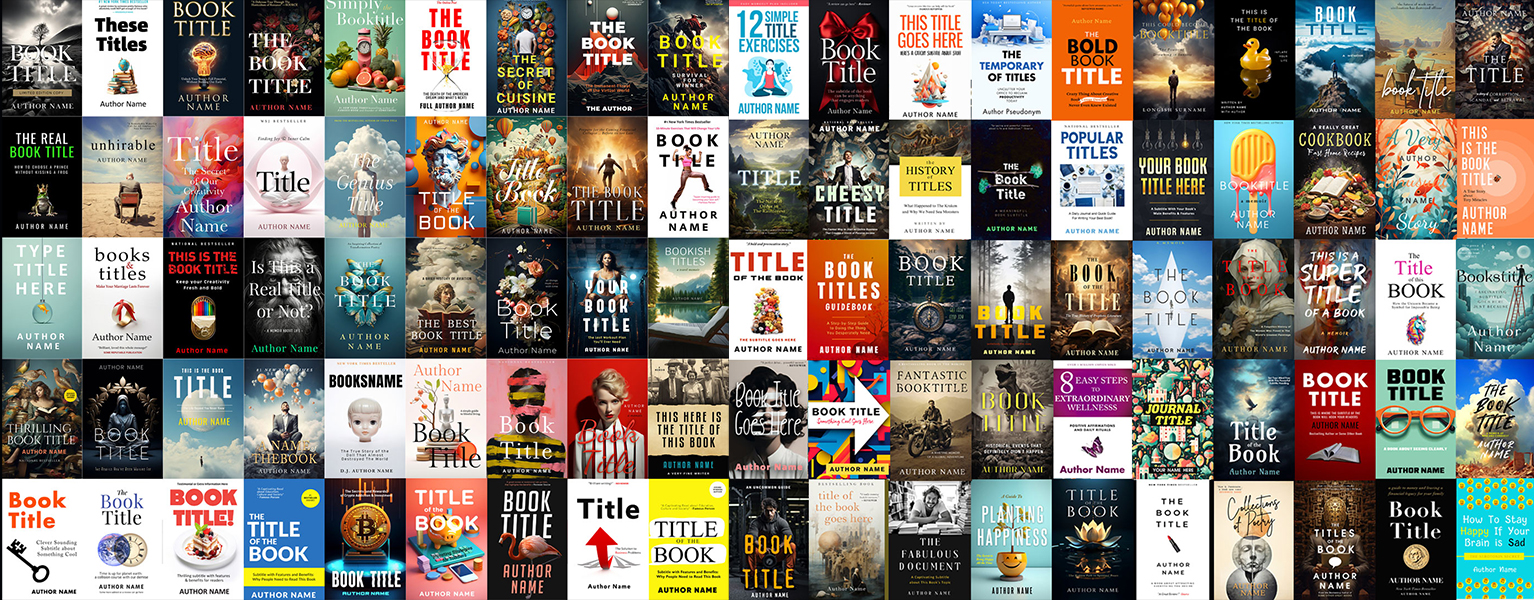
Ready to publish, but worried about marketing?
If you're downloading cover templates, you're probably getting close to publishing. That's usually when the marketing worry starts. Two of the five courses are about that part. Reach Your Readers covers your author platform, email list and Amazon basics, and Reader Seduction is about building a list of readers who actually want to hear from you.
Reach Your Readers was my first course, so it's a little rough, but there are a lot of specific tips in there you won't find anywhere else. The cover still comes first, though. A good cover makes everything else you do for the book easier.
Is this for you?
It's a good fit if
- You have Microsoft Word and you're happy to swap in your own image and play with the fonts.
- You want to be able to fix a typo or change the cover later without paying someone every time.
- You're planning to do the inside of the book yourself too.
Skip it if
- You'd rather hand the whole job to a designer. My team does that at creativindiecovers.com.
- You don't have Word. The cover templates are Word files.
What authors have said about the templates
The bundle has been my steadiest seller for years.
“Derek has been designing amazing, professional covers for my own books for the last three years, and I can recommend his design skills highly. He has now taken those skills and turned them into an easy-to-use set of templates and guides so authors can design their own DIY covers for a reasonable price. Plus there are some brilliant bonuses that will help authors even more.”
“When I hired someone to format my first book, it was an epic fail. Then I got Derek's DIY templates and was able to teach myself. Now I do all my own formatting and I can't imagine not being able to make quick changes to my books whenever I need to.”
“Following Derek Murphy's cover tutorial is akin to peeking over the shoulder of a design master. I could hardly believe that it was possible to create a cover myself. I am not a graphic designer - far from it - but in the end, I felt that I had created a cover that was workable. Give Derek's tutorial a try. At the very least, it can help you see what's important in cover design.”
“Derek really is the go-to guy on book cover designs. I was extremely excited when I heard he had made his own system and after checking it out, he didn't disappoint. This is clearly the best complete package on book designs I have ever come across.”

Hi, I'm Derek Murphy.
I spent a decade in a library getting my PhD in literature, and most of that time I was also helping authors publish better books, as an editor and a cover designer. My own first self-published cover took me months, and it was busy and hideous. I made these templates in Word on purpose, because it's the software most authors already have.
Why it's $27 here
This is my after-signup price. The same bundle is $39 on the downloads page and $197 at full price. There's no countdown on this page. If you want it for $27, this is where to get it.
Questions
Is this a finished cover made for my book?
No. The templates are starting layouts you change yourself in Word: your image, your title, your fonts. If you want a designer to make it for you, that's what creativindiecovers.com is for.
Can I use the pictures that are already in the templates?
No. Treat them as placeholders and replace them with images you have the rights to use. Lesson 4 on the downloads page shows you where to find cheap, royalty-free stock photos. Check the license of any font you keep, too.
Do I need Photoshop?
No. The cover templates open in Microsoft Word. The interior templates come in Word and InDesign versions, so use whichever you have.
How do I get access after I pay?
Checkout runs through Teachable, the platform that hosts my courses. You get instant access to the bundle and the five courses in your account, and you can come back to them whenever you need them.
What if it's not what I needed?
Email support within 30 days of your purchase and you get a full refund (see the refund policy). You keep the free templates either way.
Do I have to buy this to keep the free templates?
No. The download link is at the top of this page, and the free lessons are on the downloads page.
Get the whole kit for $27
150 Word cover templates, the interior formatting templates, the launch graphics and five courses. One payment, and you keep the free templates either way.
Yes, get the bundle for $27Instant access through my Teachable school No thanks, I'll just take the free templates.