


Looking for a book cover maker? Here’s which free tool to open:
- AI book cover maker: type your title and genre and get a finished cover with the art and the text already on it. Free to try, no design skills needed.
- Online cover editor: layers, fonts and text effects like Photoshop, free in your browser. Open a template, swap the picture, type your title.
- Free 3D book mockup: already have a cover? Upload it and download a 3D book for your ads and social posts. No sign-up, no email.
- Free genre templates: six Word cover templates and seven short video lessons. Thousands of authors have downloaded these, so customize yours; don’t risk the same cover as everybody else.
- Need a real designer? If you’d rather not do it yourself: custom covers that look as good as any airport-store bestseller, from $349, with a money-back guarantee.
I’ve been a book cover designer for over a decade, and in that time I’ve seen a lot happen. When I started, I was reasonably priced and decently skilled; book cover design took a lot of work, and you had to buy expensive software and fonts and stock images and know how to blend them together. I used to have to place hundreds of tiny dots around a character to cut them out from the background manually… now auto-background removal is easy and magic.
Awhile back, people started using digital 3D character renders to post models in fancy costumes.
Everyone was limited by the same choices, in regards to fonts and images.
For authors, book cover design was both critical and frustrating – even if you had the right budget, finding a designer to match your vision and ultimately sell more books was a crapshoot.
But there’s something new now… it’s crazy, but it doesn’t do any of us any good to ignore it.
Here’s a quick article on Ideogram, which is the absolutely best AI tool for art+typography. I’ll make some video tutorials soon to show you how it all works, or feel free to go play around with it yourself.
Ideogram for book covers: what it does well
You want a cover with the title on it, without having to figure out all the typography yourself.
Ideogram can generate the art and readable title text together, which most AI art tools still botch. For art plus typography, I think it’s the best AI tool for book cover design.
It can get pretty close to the kind of lettering you’d expect in your genre, so the title actually belongs with the picture instead of looking like something pasted on afterward. And it’s fast to respin; you can try another version instead of spending hours fixing an image that wasn’t a good choice to begin with.
That’s a big deal.
But getting a beautiful picture with fancy text doesn’t mean you’ve got the right cover. Say you write cozy mysteries: a dark, threatening house might look amazing, but if it promises horror, you’re attracting the wrong readers. Start with what readers expect, then figure out which details from your story belong there (probably fewer than you think).
How to make a book cover with Ideogram
- Research your genre first. Look at current bestselling covers beside each other. Notice how much space the title takes up, what the main image is, and how simple the composition actually is. Don’t start by listing everything that happens in your book.
- Write the prompt as genre + main image + mood + composition + exact title and author name in quotes. For example: cozy mystery book cover, a village bakery with a cat outside, warm and inviting, simple storefront below with room for the title above, title “Murder at the Bakery”, author name “Jane Smith”.
- Pick a tall portrait shape. Think about where the title and author name will sit before you fill the whole picture with stuff.
- Respin until the image is right. Change the thing that isn’t working, rather than adding another paragraph of instructions. A complicated prompt gives it more things to screw up.
- Check EVERY letter. Read the title, then the author name, then any smaller text. Don’t let a gorgeous cover distract you from a misspelled name.
- Download the result. If the text is off, fix or replace it in a real editor. My free online cover editor lets you work with layers and fonts; my six free Microsoft Word cover templates and seven free video lessons give you layouts and help with choosing the text.
Don’t throw away good art just because the lettering looks like crap.
FREE ai book cover generator
I’m in a weird position: I have been a book cover designer for 20 years; and I’ve also spent a lot of time, money and resources trying to make easy to use DIY book cover templates… but I’ve always struggled to make something so effortless that indie authors can’t screw it up and end up with ugly covers anyway. Ideogram and similar tools are easier, cheaper and can make better quality book covers than my templates – which means most of what I’ve been doing for many many years is outdated.
That was an identity crisis for both me and my business.
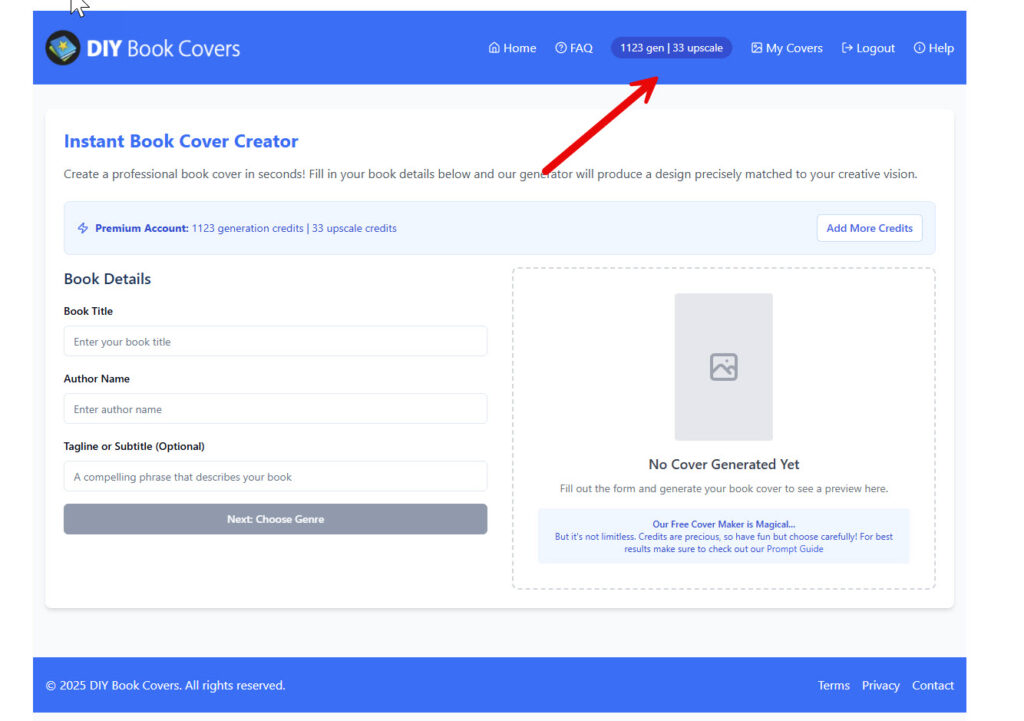
But I decided, finally, that I might as well make the best AI cover generator possible, before somebody else does… and I just made it available. It’s pretty freaking amazing, so I’m optimistic… but I probably can’t afford to keep it working (right now it gives everybody 3 covers a day that I have to pay for, so increased traffic will quickly empty my already barren bank account.)
I think it’s pretty great, so that’s a risk I’m willing to take at least to see how things go. You can go play with it here:
– Instant AI book cover generator – I hope you enjoy it!
What Ideogram still gets wrong
The title can look right until you actually read it. Check for missing letters, repeated letters and words you didn’t ask for, especially in the author name or a little tagline at the bottom.
Small text needs its own inspection.
There’s also the font problem. I’ve pointed this out before: if AI generates lettering that looks too close to a commercial font, that could become a licensing problem later. Replacing it with a font you have the right license to use gives you more control over the finished cover.
And if everybody uses the same prompt, everybody gets the same sort of cover. You want to fit your genre, but you probably don’t want another vaguely magical woman surrounded by vaguely magical stuff with no clear reason to pick up THIS book.
Ideogram doesn’t know which current bestsellers you’re trying to sit beside unless you tell it; “fantasy” leaves a ton of room for something beautiful that belongs on a completely different kind of book (and adding more jewelry to the character isn’t going to fix that).
I’ve spent years making cover templates, and now AI is eating my lunch.
But a paperback still needs real layout. A front cover isn’t a full print wrap: the spine and back need to be arranged for your book’s dimensions. Finish that separately instead of assuming a good front image means the whole print file is ready.
Ideogram vs Midjourney for book covers
For the best art, I still favor Midjourney. When you want the title worked into the image, Ideogram is the better choice.
Those are different starting points. If you already plan to add your own typography, choose the strongest image for the book. Don’t settle for weaker art just because another version spelled the title correctly.
My Midjourney for book covers post goes into the art side. There’s more on text and putting the pieces together in my AI book cover generators post.
Your next cover doesn’t have to start with a blank page.
My DIY Book Design bundle has 150 editable Word cover templates (80 fiction, 70 nonfiction), the formatting downloads and five courses. It’s $197; through this link it’s $39. The cheapest time to fix a cover is before you pay to promote the book.
If it isn’t useful, email support within 30 days for a full refund.
PS. Run the result through my free cover critique tool before you publish.
