


Looking for a book cover maker? Here’s which free tool to open:
- AI book cover maker: type your title and genre and get a finished cover with the art and the text already on it. Free to try, no design skills needed.
- Online cover editor: layers, fonts and text effects like Photoshop, free in your browser. Open a template, swap the picture, type your title.
- Free 3D book mockup: already have a cover? Upload it and download a 3D book for your ads and social posts. No sign-up, no email.
- Free genre templates: six Word cover templates and seven short video lessons. Thousands of authors have downloaded these, so customize yours; don’t risk the same cover as everybody else.
- Need a real designer? If you’d rather not do it yourself: custom covers that look as good as any airport-store bestseller, from $349, with a money-back guarantee.
I started talking about Dalle2 when it first came out, and then Midjourney when I realized the potential for book cover design. A lot of people were unnerved by my prediction that book cover designers would soon be replaced by AI, but that’s kind of what this site has always been about: allowing authors to cut corners and get better art and design – a truly great book cover – without hiring an expensive designer.
More recently, I kicked the hornet’s nest again when I discovered you can make pretty amazing character art concepts… this means, rather than be limited by stock photographs that don’t match your story or character, or trying to generate design assets with something like Daz3D, you can just generate everything you need for a winning book cover.
And I still fully expect, sometime this year, we’ll get a one-click book cover solution.
But it’s not here yet.
AI book cover generators don’t exist, because AI tools are just learning how to handle text and typography. Honestly it’s incredible it can do art at all, and super incredible that it can add specific text over the images. In my experiments, it can even get the fonts kind of right based on the genre – if nothing else it can give you a good indication of what kind of thing you might want to do for your book cover design.
That said, you can make absolutely gorgeous, jaw-dropping book cover art. Better than I could make after 20 years of designing covers (I *could* do it, but I’m limited by available stock and it would take me a long time, which is why I charge around $800 for custom book covers). But don’t screw it up by adding lame, boring and genre-inappropriate text and typography.
My DIY templates should make it so much easier to add art, edit the text and save your cover in a few minutes.
I have a *lot* to say on this topic, but for now you should check out this post: “AI for book cover design, how is this legal?”
For the past year, me and everyone else have been fretting about the social and ethical dilemmas.
And right now, you can still get cancelled or at least earn a bunch of negative reviews for using AI art on your book cover, because it’s too new and controversial. But it is legal, and I expect it’ll become much more common, because it fills and need and the abilities are really unmatched.
I’m going to update this post soon with some videos on the best AI cover generators, and add some new tutorials so you know how to get the best art and blend everything together, but in the meantime here’s some rough information about the topic I’ll come back and revise when I’m ready 🙂
Got your AI art? Now add the text
AI is great at art, but the title text is still hit or miss. My six free Microsoft Word cover templates and seven video lessons show you how to add the title and author name so your cover fits your genre.
Is there a free AI image generator?
There are several, but most only offer a free trial or a daily limit. Copilot (in Windows), Bing and some other AI chat tools offer image generation, and I expect it will get more available. There are a bunch of competing tools, but I think Midjourney is still the best right now, especially since they added consistent characters.
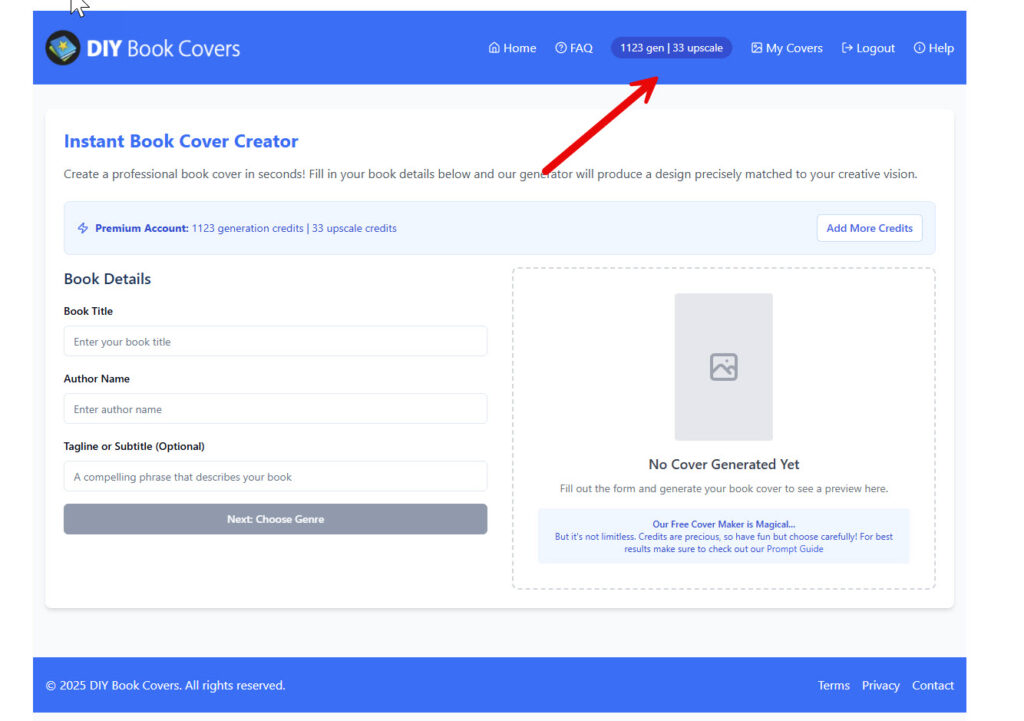
UDPATE: Dalle sucks, but openai’s new chatgpt4o is pretty amazing at text. However, Ideogram is still probably the best AI tool for book cover design. So I challenged myself and made an AI book cover creator. As far as I know, it’s current the best of its kind by far. I have a personality defect of building free tools that don’t make money, so I’m hoping this one breaks even, and a little anxious I’ll have to shut it down quickly if I get too much traffic.
But for the meantime, it exists, and the results are often kind of amazing.
Can Midjourney create a book cover?
Not exactly – but it can make amazing book cover art in any style. You need to choose the appropriate style for your genre, by doing research (although if you just put in the genre tagwords, it should get it right). You can try adding, ‘the title text is “TITLE”‘ and sometimes it’ll get the text right. Ideogram does this even better, but it’s not perfect, so you probably want to add the text on yourself (You can use the templates here, where I’ve already chosen pretty good fonts and font effects for each genre).
But I think the day is coming, in the near future, where an AI tool could handle everything all at once, including the text… that’s still probably not what I’d use. The bigger and more detailed the prompts, the harder the AI tools will struggle to get everything right. It’s much easier to test a bunch of prompts and respin until you find the perfect image, and then add genre appropriate fonts later.
Plus – normally you’d have to license images and fonts for book cover use, so if the AI is creating fonts that seem too similar to commercial fonts, that could be a problem later.
Can I use AI art for my book cover?
Yes, as long as you are paying for the professional/paid level of Midjourney, they give you a commercial right use use. This is not the same as a copyright, and AI art can’t be copyrighted. This isn’t actually a problem, because once you add text and publish your cover, nobody will be able to copy it.
What is the best AI book cover generator?
If you want the best art for your book cover, Midjourney is still my pick; for art plus title text in one go, try Ideogram or GPT-4o.
For a free start, my AI book cover generator lets you choose an engine, including Ideogram and DALL-E 3.
Ideogram is probably the best fit for a complete cover because it handles images AND typography. It’s an image generator that can put words into the picture, not a tool for writing your blurb. GPT-4o is pretty amazing at text, too. DALL-E wouldn’t be my first choice for the art.
But none of them reliably gets the whole cover right yet. A beautiful picture with the wrong fonts can still look like crap, and a correctly spelled title doesn’t mean the design fits your genre. It’s usually easier to get the image right first, then add the text yourself.
Is there a free AI book cover generator?
Yes. My free AI book cover generator gives you three premium Ideogram covers per day, plus unlimited standard generations with DALL-E 3. GPT-4o is also an engine option. Upscaling and remixing use credits, and paid credits are available.
I pay for every generation, which is why the free premium covers have a daily limit.
Use the free covers to try different directions before you spend credits polishing one. Making a bigger version of a bad cover won’t fix the design.
How to use an AI book cover generator without making a bad cover
- Research your genre’s bestsellers first. Look at the covers together and notice what keeps showing up: the kind of art, how much space the title takes, where the characters go. Your cover needs to belong with those books. Being different isn’t much help if readers can’t tell what you’re selling.
- Describe the cover, not the plot. Give the generator your genre, subject, mood and composition. Say you write cozy mysteries: a cheerful illustrated village bookshop with a cat in the foreground is something it can show. The heroine’s complicated relationship with her sister isn’t. Keep all the stuff that needs explaining off the cover.
- Leave room for the title. Ask for a simple background where the text will sit, instead of filling every inch with interesting stuff; a small scene at the bottom with open sky above gives you somewhere to put words without covering the best part of the picture (which otherwise tends to be exactly where your title needs to go). If you’re generating the text too, put the exact title in quotes and check every letter.
- Respin a lot. Try simpler prompts and different compositions. Don’t keep a weak image just because it finally got your character’s jacket right.
- Add the title and author name with fonts that fit the genre. My book cover fonts post will help you choose. The Word templates already have fonts and effects chosen for each genre, so you can replace the art and edit the words instead of starting from nothing.
- Check it as a thumbnail beside competing books. Does the image still have an impact? Does it look like the right genre? Don’t make every bit of text enormous just to make it readable at that size. The small details can disappear; the cover’s emotional appeal can’t.
- Get feedback before publishing. Try my free “Does my book cover suck?” cover critique tool. Use the feedback to spot problems you’ve stopped noticing after staring at the same cover for hours.
Your next cover doesn’t have to start with a blank page.
My DIY Book Design bundle has 150 editable Word cover templates (80 fiction, 70 nonfiction), the formatting downloads and five courses. It’s $197; through this link it’s $39. The cheapest time to fix a cover is before you pay to promote the book.
If it isn’t useful, email support within 30 days for a full refund.
AI book cover design services vs DIY
An AI cover can be fine if you have a small budget and can judge the result against successful books in your genre. You still need to choose the image and get the typography right. A generator gives you options; it doesn’t make every option good.
Pay a designer when you can’t figure out why your cover looks wrong, or when you’d rather have someone handle those decisions. My design service, Creativindie Covers, starts at $349 for an ebook front cover, with a 100% money-back guarantee.
If you want to do it yourself, my DIY Book Design & Formatting Bundle is $39 through this link and includes 150 editable Word cover templates. Or start with the free generator and use my free online cover editor to work on the text.
PS. For more on the tools, check out my posts on Ideogram for book covers and Midjourney for book cover art.
